
Introduction
A few years ago, I was watching a horror movie on YouTube with my friend. For every ten minutes, an ad played. Most of them were non-skippable. As you would expect, they were all targeted ads related to my search history on Chrome and other shopping sites. The worst part was that the ads were repetitive. After each ad ended, YouTube strategically suggested us to purchase Premium to enjoy an ad-free experience.
At one point, it completely ruined our horror movie experience. Imagine watching a scary scene with ominous music, interrupted by Swiggy’s ad with an upbeat jingle.
That was when my friend suggested Brave browser. I installed it and voila! Not a single ad was in sight.
Since that day, Brave has replaced Google Chrome as my default browser on PC and mobile.
How is Brave different from Chrome?
As a user, I’ll compare the pros and cons of both the browsers from a neutral viewpoint.
Round 1: Accuracy of Search Results
On the surface level, both Brave and Chrome displayed relevant results for frequently searched questions. Brave’s results relied more on Wikipedia. Whereas, Chrome’s results relied on the relevancy and expertise of a website on a given topic.
So, I typed in four India-centric search queries to see which browser showed accurate results.
1. Who is the current captain of the MI team?

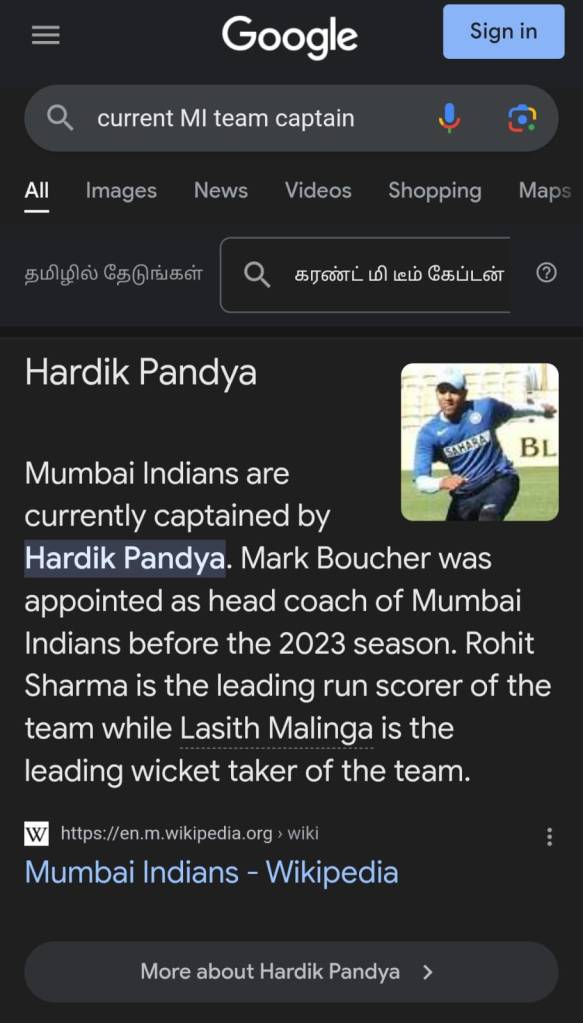
Brave shows a Wikipedia snippet of the Mumbai Indians team. It shows the owner of the team and not the captain of the team. Whereas Chrome shows the captain’s name and photo. It also highlights the leading run scorer and wicket taker of the team.
2. When is the Tamil New Year celebrated?
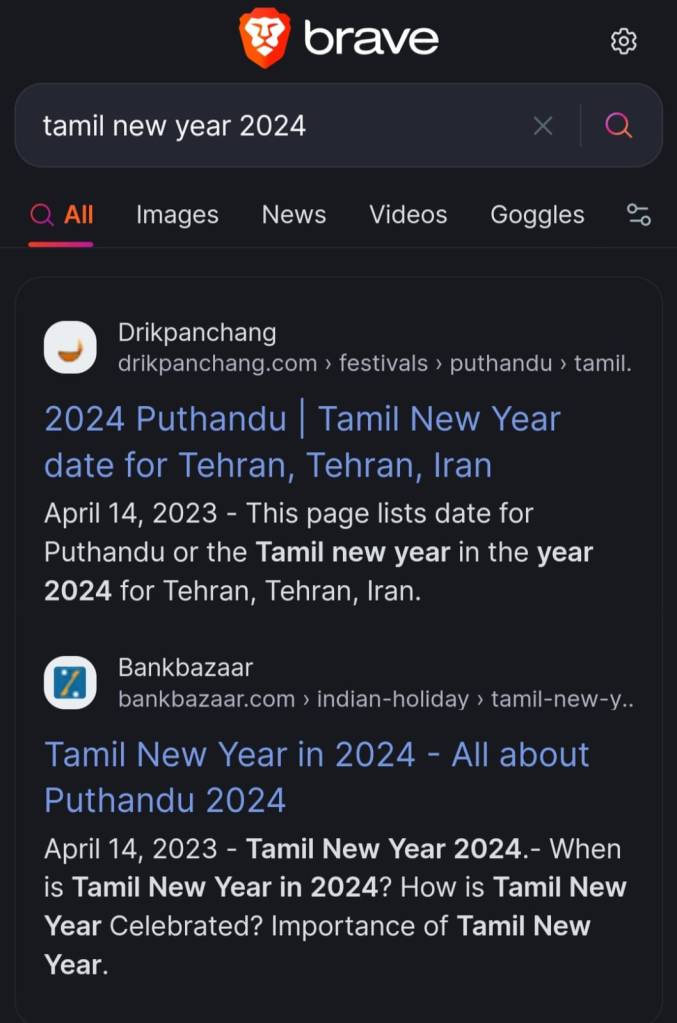

Chrome shows the correct date and also highlights other countries that celebrate Tamil New Year. On the other hand, Brave has misunderstood the query.
3. Current points table of the IPL


Both the search results are correct. Brave displays IPL’s official website. So, I need to click on the website to see the points table. However, Chrome has made it much simpler. It crawls the results from IPL’s website and shows it in a crisp manner. It saves time and enhances the user experience.
4. Book hotel rooms in Chennai
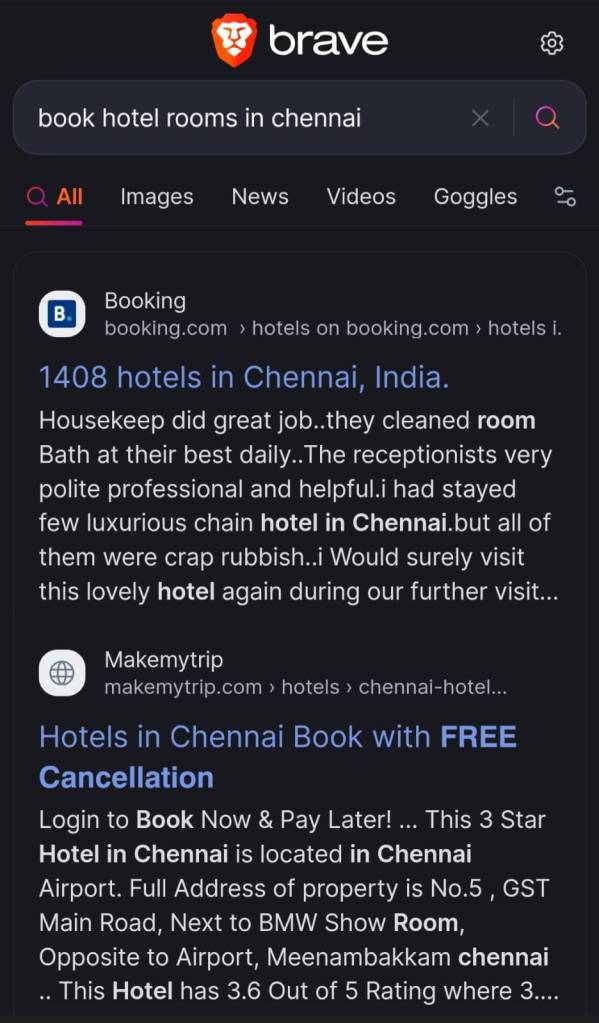
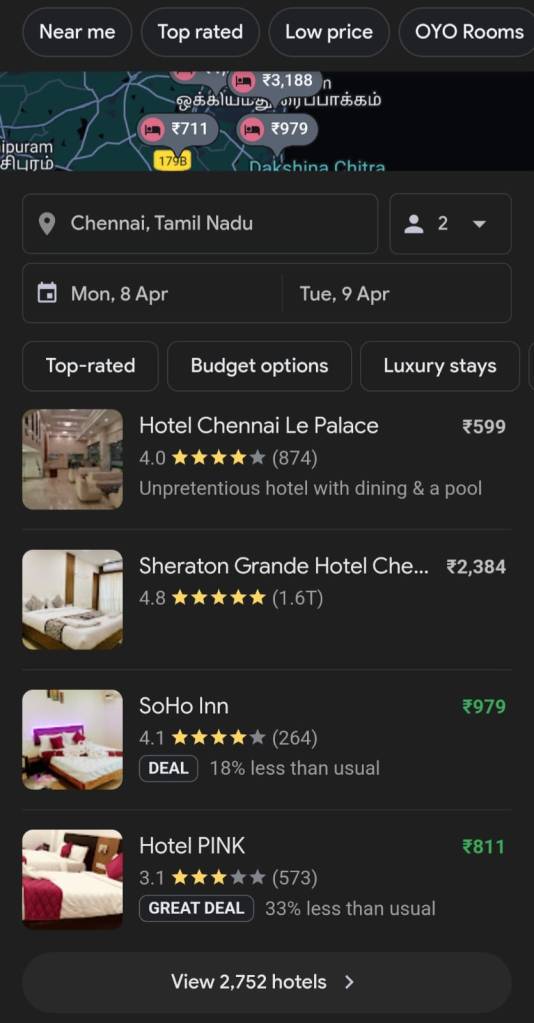
Again, Brave shows a list of top hotel booking sites like MakeMyTrip and Booking.com. I need to go to the website to compare hotel prices and book. Whereas Chrome is more efficient. All I have to do is type in the dates and location. I can filter the hotels based on ratings and it will show me relevant results.
Clearly, Chrome is the winner of Round 1. It provides better search results than Brave.
Round 2: Ad blockers
Let’s compare which browser does a better job in blocking ads and site trackers.
1. Ads on blog posts


These are screenshots of a news article on Times of India. Brave has blocked display ads between paragraphs and at the bottom of the page. The readability is better. Whereas, Chrome displays distracting ads that bring down the user experience.
2. Ads on YouTube videos


Ads are not shown when YouTube videos are played on Brave. On the YouTube app and Chrome browser, there are two ads that play at the beginning of the video. When you click on the replay button once the video ends, ads are played again. For longer videos, ads are also played in between the video.
3. Ads on Google Maps
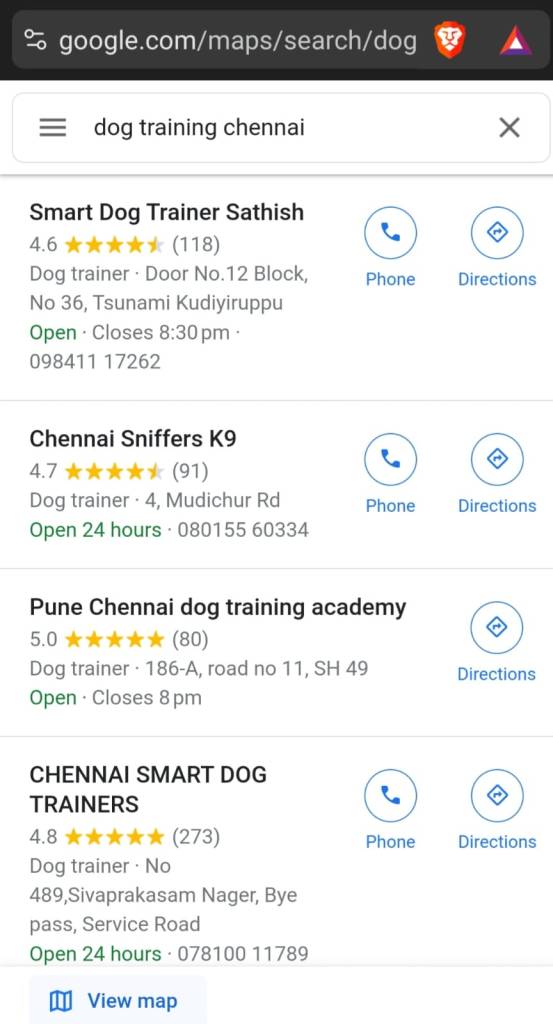
Advertisers pay for their products or services to show up at the top of search results. They are called “sponsored” results. As you can see, Google Maps does not show “sponsored” results when it runs on Brave browser. So, “Chennai Smart Dog Trainers” is displayed in the fourth position. Whereas, it is shown at the top on Chrome.

4. Tracking across sites


Targeted ads are scary and annoying at the same time. When you search for a product or service on a site, you will find related ads on other sites as well. On Chrome, I searched for “interior decoration“. I clicked on a few websites and spent an hour typing search queries related to interior design. Just as I expected, Instagram started displaying ads of interior design companies.
Brave has won Round 2 by a massive margin. It provides solid privacy by blocking ads and site trackers.
Round 3: Accessing blocked websites
To access blocked sites, you need a reliable VPN. Psiphon is popular amongst free tools. NordVPN, ExpressVPN and SurfShark are popular paid tools.
Brave browser lets you access blocked sites using its “Private with Tor” option. Right now, it’s only available on PC. You cannot access it on smartphones.


I did not have to install an external VPN. Brave’s “Private with Tor” has masked my IP. My location is set to Australia. I’ll visit Limetorrents website to check if I can access it.
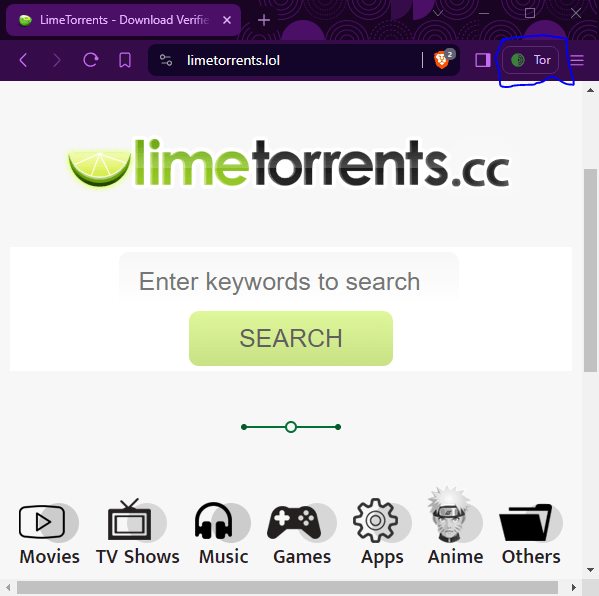

As expected, I can access Limetorrents on Brave and not on Chrome. There is no built-in VPN on Chrome.
Brave has won Round 3. It does a better job of hiding your IP while accessing restricted sites.
Disclaimer: I’m not suggesting users to access Limetorrents to download pirated movies, books, games, TV shows and other restricted content. These screenshots are only used to compare the two browsers.
Who’s the winner?
Well, for power users who want a secure and ad-free browsing experience, Brave is the best choice. You don’t have to switch between Chrome and Brave to compare search results. You can simply type in google.com on your Brave browser to get better search results.
For light users who do not mind ads and site trackers, Chrome is a good choice.
 The Marketopedia
2 responses to “Will Chrome Survive in the ‘Brave’ New World?”
Good one. Brave will save data and consume minimal battery usage in Android. But at the same time brave should concentrate on search results and they should promise after reaching million downloads like Google we will stick on to the same like now for the ad’s. If it happens and the proper marketing done by brave team then in couple of years it will be in a default browser list.
LikeLike
Yes. Even I hope that Brave sticks to its no-ads policy in the future. It will challenge Google’s tech monopoly.
LikeLike